Dealership recon resources, sorted by your question.
Start with what recon means, then work into cycle time, bottlenecks, and holding cost. Help your team see what's stuck and what to fix first.
The calculator is ungated and runs in your browser. No email, no download.
This library covers dealership recon end to end — what it is, how to measure it, what a slow process costs, and the plays that fix it. Know four things about each car in recon, every day. Every guide comes back to that.
- Current step — where the car actually is, not where the whiteboard says.
- Wait time — how many days it has sat at that step.
- Owner — who is on the hook for the next action.
- Blocker — what is stopping the car, and who can clear it.
New to the idea? Start with what recon means at a dealership.
Pick the path that matches your question.
Four questions cover most stores. Pick yours and skip the rest.
New to recon?
New to dealership recon, or need the plain-English version for the team?
Read the definitionFix cycle time
Know cars are sitting, but not sure which step is actually slow?
Measure the daysHow much money am I losing?
Need to put a rough dollar value on one extra day in recon?
Price the daysAlready on a recon tool?
Here's a quick, honest way to check whether yours still gets updated every day.
See switching notesSixteen guides, grouped by the job in front of you.
Every guide is written for the person running recon at a store — not for software people. Jump to a group, or scroll them in order.
Learn the basics
4 guidesWhat recon is, how the process runs, and the words your team will hear in the morning meeting.
Used-car reconditioning guide
See the whole path a car takes — and why every extra day quietly eats gross.
Read the guide 02DefinitionWhat is recon at a dealership?
The plain-English version to hand a new hire, plus where cars usually start to stall.
Start with the basics 03WalkthroughUsed-car recon process
Walk each step, who owns it, and where the handoffs drop the ball.
See the workflow 04GlossaryRecon glossary
Look up any recon term so the whole team means the same thing in the meeting.
Look up a termFind the slow step
4 guidesMeasure your real cycle time, score it against industry ranges, and pull the wait out of the process.
Recon cycle time
Learn to measure the real days a car sits, step by step, instead of guessing.
Find the slow step 06BenchmarksRecon time benchmarks
See where a solid store lands so you can size up your own days honestly.
See the benchmarks 07MetricsReconditioning KPIs
The eight numbers worth watching, with plain formulas you can run yourself.
See the scoreboard 08PlaybookSpeed up reconditioning
Cut the waiting between steps without pushing your techs to rush the work.
Use the five-car exerciseRather see this on your own cars than read about it? Request a demo
Put a number on it
4 guidesPut a dollar figure on recon time — per day, per unit, and across the year — and protect gross at appraisal. Walk into the owner's office with a number you can defend.
Recon holding cost
Put a rough dollar figure on each day in recon, with a worksheet you can follow.
Estimate the cost 10CalculatorHolding cost calculator
Type in your numbers and see what a day in recon costs per car. No email needed.
See what a day costs 11GuideRecon and gross profit
See how recon days pull straight out of the gross on every used car.
See the gross math 12PlaybookRecon cost and the trade walk
Price recon into the appraisal up front so the gross is still there at sale.
Walk the tradeRun the plays
4 guidesOwners, meetings, and communication — the habits that keep cars moving once you can see them. Then run a daily standup that clears blockers instead of just naming them.
Recon accountability
Give every step one owner so cars stop falling through the cracks.
Name a recon owner 14PlaybookRecon communication
Keep sales and service on the same car with less app-opening friction.
Close the loop 15TemplateRecon meeting agenda
A tight daily standup agenda, free to steal, that keeps cars moving.
Get the template 16ChecklistChoosing recon software
The features that matter and the questions to ask before you sign anything.
Use the checklistPut a dollar figure on every day a car waits.
Enter your ACV, floorplan APR, and recon days. It shows the cost per day, per unit, and per year. The math stays visible — so you can defend the number in the manager meeting.
Open the calculatorUngated and client-side. Your numbers stay in your browser.
Suggested reading order, matched to your week.
Two guides per situation. Read the first one today; the second one will make more sense tomorrow.
- New to recon: start with what recon means, then read the dealer's guide.
- Running the morning meeting: read the recon process, then use the five-car exercise.
- Putting a number on recon time: start with cycle time, then use the holding-cost worksheet.
When you're ready to look at tools: already on another system? Read the switching notes. Getting set up? Start with setup and onboarding. Either way, the recon software basics give you the lay of the land.
Software does not fix recon by itself.
EasyRecon makes every car, step, age, blocker, approval, and next action visible. The store still makes the process call. That is the honest version: visibility first, process change second.
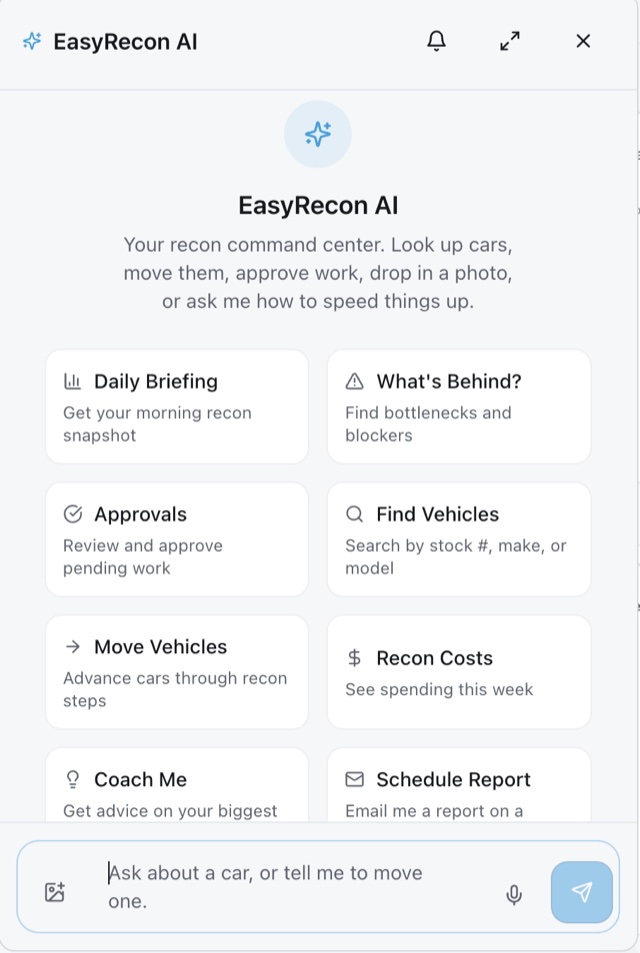
Day to day, cars flow in automatically once your inventory feed is connected — no spreadsheet entry — and authorized team members can text EasyRecon AI to update a step or look up a car. That's the point: all the benefits of a recon tool without the pain of using one.
Get every car in recon on one scoreboard.
Month-to-month. No long-term contract. You've read how to measure it. A demo shows it live on your own cars — where each one is, and how many days it's been sitting.